iOS release in preparation
Paper to pixels.
Pocket ready.
Paper to pixels. Pocket ready. Scan documents and receipts, extract their text, and export the result in the format you need with SeukScan.
Features
Straight, clear scans
Automatically detect document corners and correct perspective. Fine-tune four corners, rotate pages, apply filters and keep multiple pages in one document.
Read, copy and find
Recognize text in saved pages with OCR. Copy or share the text, then search your library by document title or recognized content.
From ID cards to books
Use ID card and passport presets or split a book spread into pages. Organize scans with folders and favorites, and merge documents.
Export your way
Export PDF, JPG, PNG or text files. Choose PDF paper size and quality, and add an opening password or watermark.
Multi-page documents
Add pages and refine your document with cropping, filters and rotation.
On-device processing
Document scanning and text recognition run on your device.
Screenshots

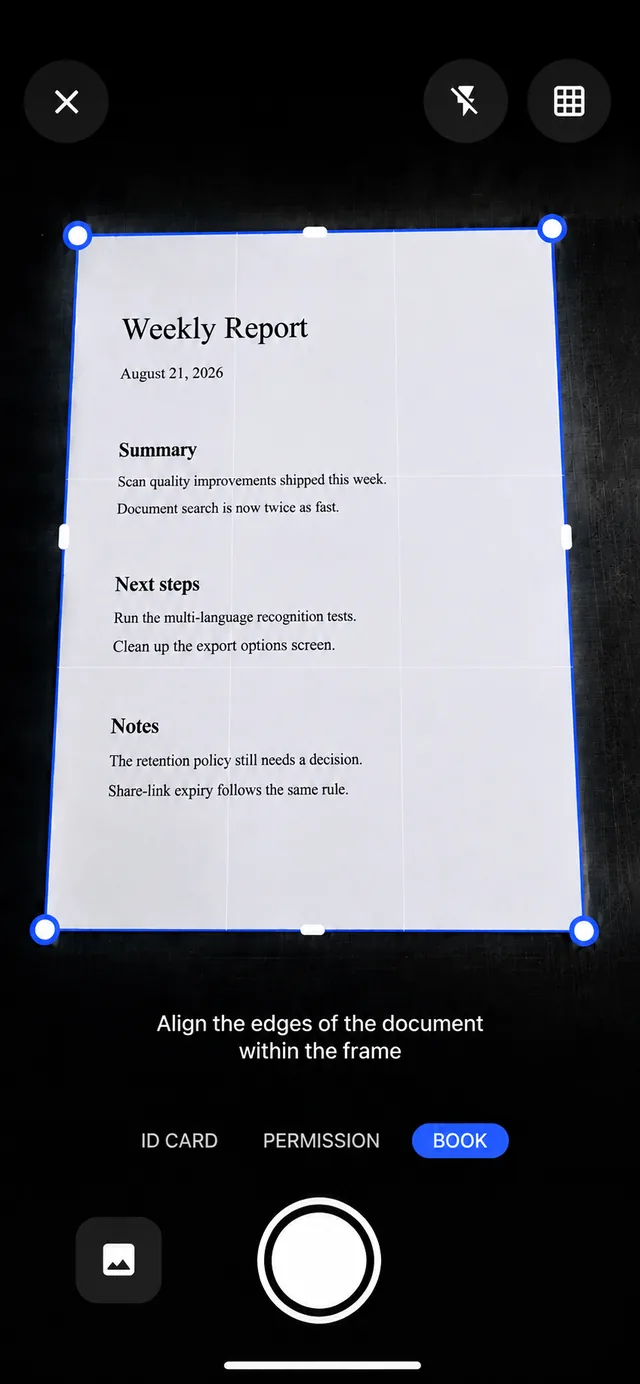
Straight, clear scans
Automatically detect document corners and correct perspective. Fine-tune four corners, rotate pages, apply filters and keep multiple pages in one document.
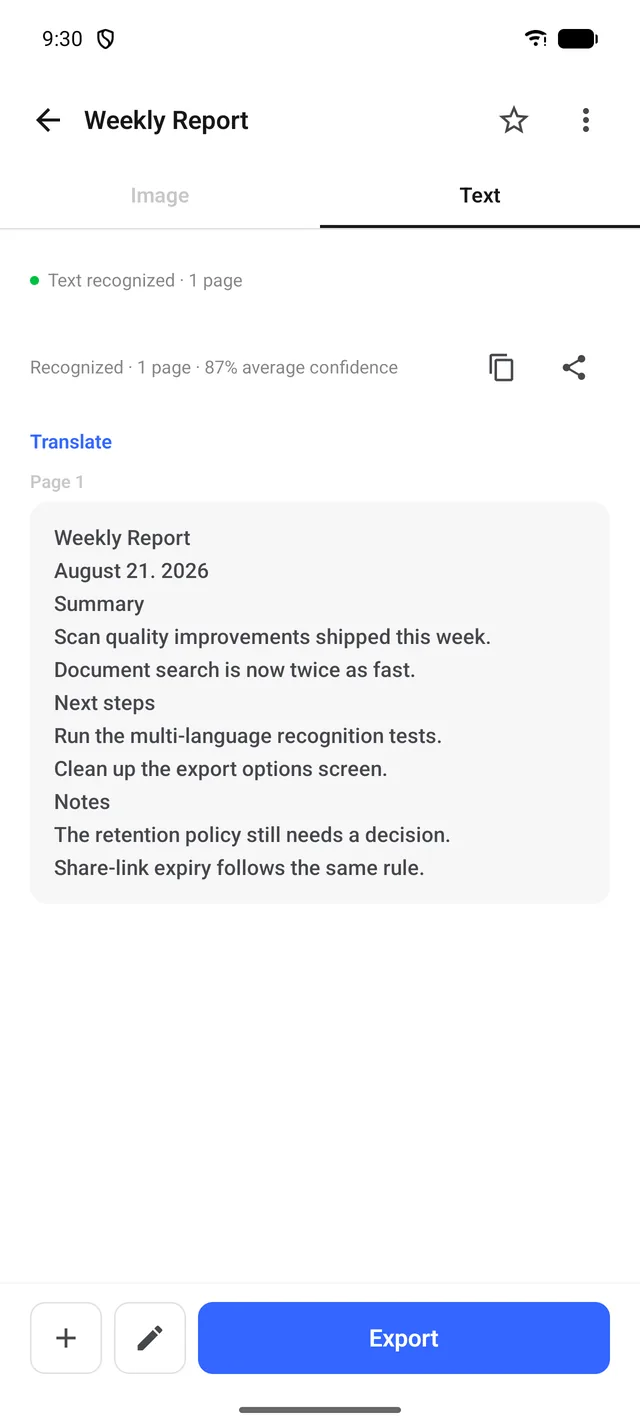
Read, copy and find
Recognize text in saved pages with OCR. Copy or share the text, then search your library by document title or recognized content.
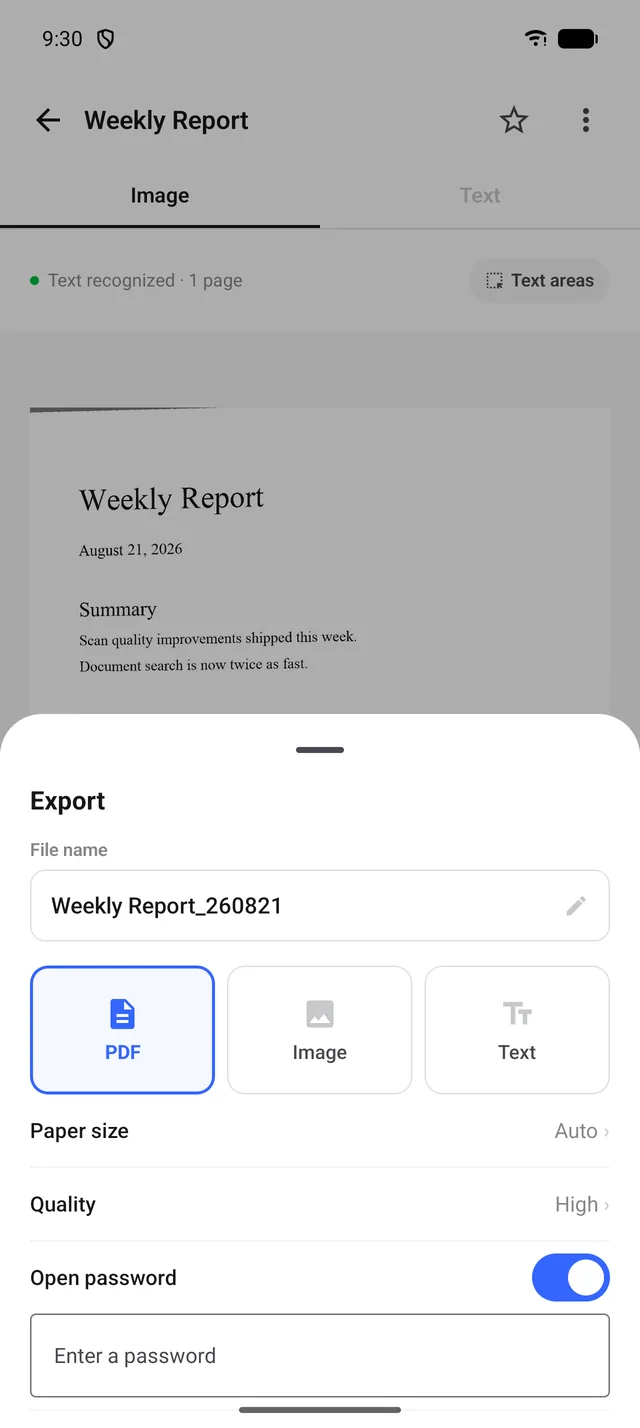
Export your way
Export PDF, JPG, PNG or text files. Choose PDF paper size and quality, and add an opening password or watermark.
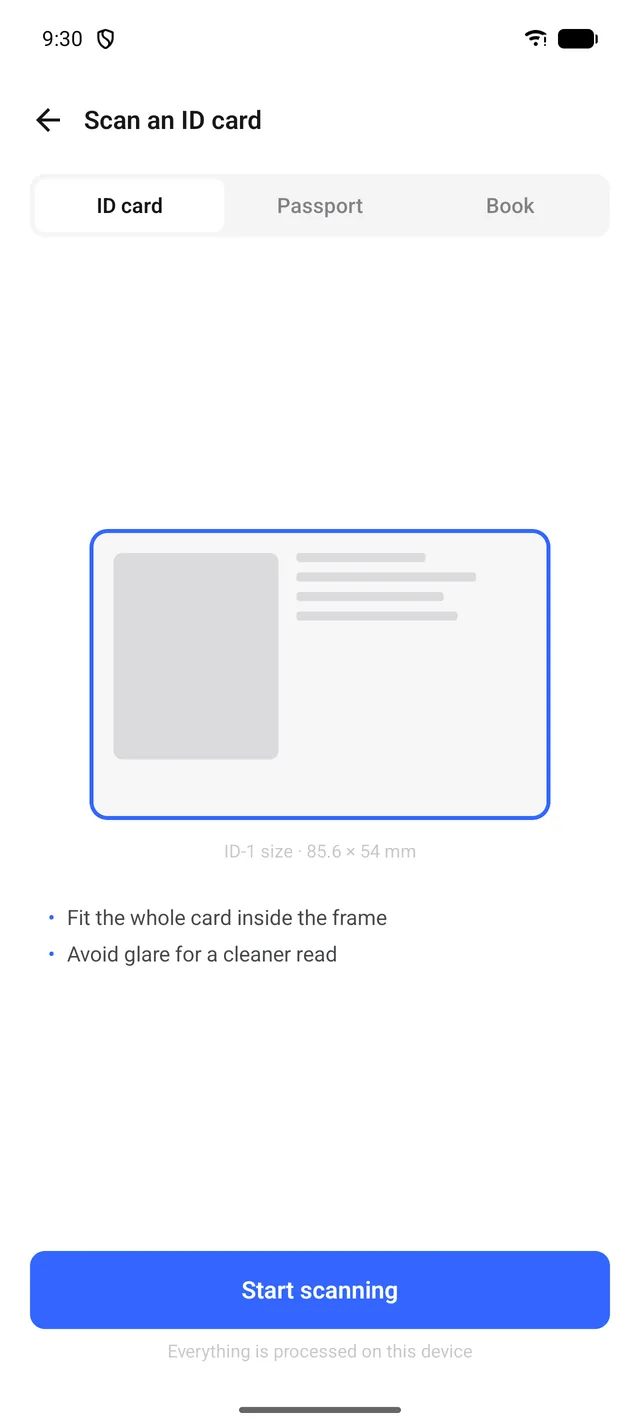
From ID cards to books
Use ID card and passport presets or split a book spread into pages. Organize scans with folders and favorites, and merge documents.
Frequently asked questions
Are scanned documents sent to a server?
Document scanning and text recognition run on your device. H1Soft does not collect your documents or recognized text on a server. When you choose to share, export or back up, files go to the app or location you select. Text recognition varies by device and document language.
Which export formats are supported?
Export PDF, JPG, PNG or text files. Choose PDF paper size and quality, and add an opening password or watermark.
Can I scan ID cards?
Use ID card and passport presets or split a book spread into pages. Organize scans with folders and favorites, and merge documents.
Can I scan multiple pages?
Add pages and refine your document with cropping, filters and rotation.
How can I contact support?
Email us with questions or bug reports. Include your device model and iOS version to help us investigate. Please do not send original documents containing sensitive information.